
Every call written down as text
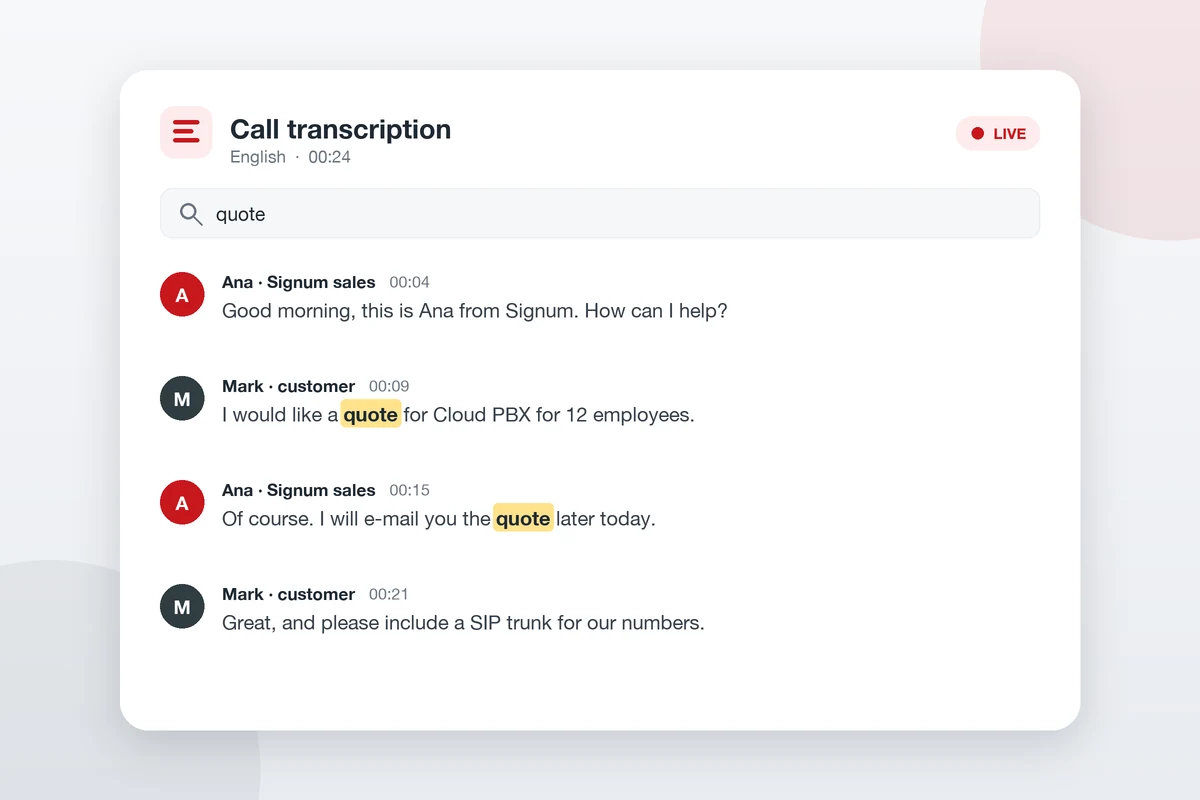
Artificial intelligence writes down the conversation as it happens – showing who is speaking and when, with keyword search in the Linkus app.
Call Transcription
Every conversation turned into text
Call Transcription is a new feature of Yeastar phone systems that uses artificial intelligence to turn the spoken words of a voice or video call into written text automatically. The transcript is arranged in time order, showing who is speaking and when each line was said.
No more taking notes during the call – you will find agreements, numbers and deadlines in the transcript, share them with colleagues and keep a reliable record. The service is available with Signum Cloud_PBX and the Linkus app.
No note-taking
Writes down the whole conversation, for you!
Who said what
Speaker labels and a timestamp for every line.
Quick search
The keyword you search for is highlighted instantly.
What can Call Transcription do?
Where it helps
An accurate record of every call, whenever you need it
Transcription is useful whenever it matters exactly what was agreed. Every call becomes text that you can review, search and share with your team – and turn into concrete tasks.
Sales and support
Agreements, orders and fault reports are written down word for word, so nothing gets forgotten.
Quality and training
Real conversations for review and feedback – ideal for onboarding new staff.
Team collaboration
Share the transcript with colleagues who were not on the call instead of retelling the conversation.
Transcription works for most calls. It is not available for IVR, voicemail, conference and multi-party calls, broadcast groups, call monitoring and emergency notifications. Transcripts cannot be edited while the call is in progress. As with call recording, the other party should be told that the conversation is being transcribed.